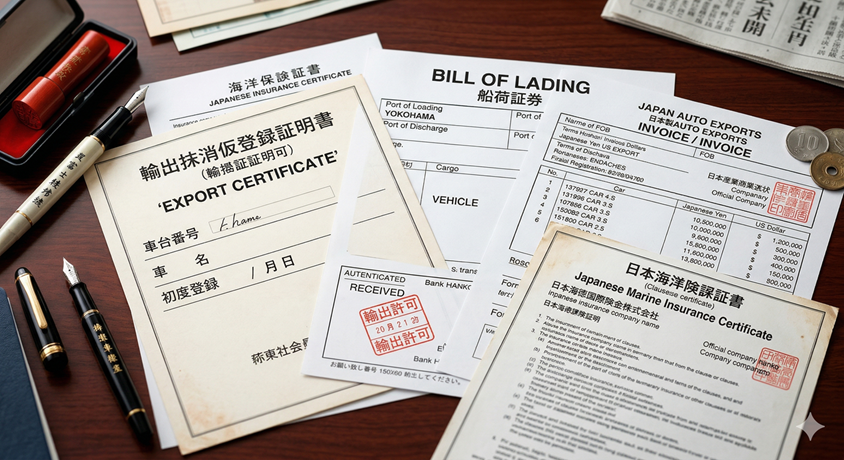
Folders and templates work, until volume makes them break
Most exporters start with a folder structure and a set of Word or Excel templates for invoices, packing lists, and certificates. That's a reasonable starting point. It breaks down at volume for a predictable reason: every document still requires someone to manually type the vehicle's details, the buyer's details, and the shipment details into the template, every single time — and every manual entry is a chance for a typo, a mismatch, or an outdated template version to slip through.
Our earlier guides on export documentation workflow and export documents from Japan cover which documents matter and when they're needed. This article looks specifically at what changes when the process moves from templates to real documentation software.
The core capabilities that separate software from templates
| Capability | Why templates fall short |
|---|---|
| Auto-fill from the vehicle record | Templates require re-typing VIN, buyer, and price details each time |
| Document status per unit | Folders don't show which documents are still missing for a shipment |
| Version control | Outdated template copies are easy to accidentally reuse |
| Buyer or market-specific document sets | Different markets need different paperwork, easy to miss manually |
Tying document status directly to shipment status
The most valuable thing documentation software does is make missing paperwork visible before it becomes a shipment delay. If a container is about to be booked and a unit inside it is missing its certificate of origin, that should be a visible flag at booking time, not a discovery made at the port. This is the same principle covered in our document readiness workflow guide — readiness needs to be a status the whole team can see, not something only the person who filed the paperwork knows.
Handling multiple destination markets without losing track
Exporters shipping to several countries deal with different document requirements per market — inspection certificates required by one country but not another, different age or emissions declarations, different customs forms. Software should let you define a document checklist per destination market once, then apply it automatically to every unit going there, rather than relying on staff to remember which market needs what.
Common documentation software mistakes
Treating it as a filing cabinet, not a status system
Storage alone doesn't tell you what's missing.
No link between documents and shipment booking
Bookings should be flagged when paperwork isn't ready, not discovered at the port.
One generic document set for every market
Destination-specific requirements get missed when there's no per-market checklist.
FAQs
What is export documentation management software?
Export documentation management software generates and tracks the paperwork required to export a vehicle, pulling data directly from the vehicle, buyer, and shipment record instead of requiring documents to be filled out separately.
How is this different from just using document templates?
Templates still require someone to manually enter vehicle, buyer, and shipment details each time. Documentation software auto-fills from records that already exist, and tracks which documents are outstanding against each shipment.
Can document status be tied to shipment booking?
Yes, in a connected system. Shipment booking or release should be blocked or flagged when required documents for that unit are still outstanding, preventing a container from being booked before paperwork is ready.
Does document software replace legal review?
No. It generates and tracks documents consistently, but destination-market legal and compliance requirements still need to be verified against current regulations for each market.
Supporting guides in this series
Export Document Readiness Workflow
How readiness status should connect to booking decisions.
Digital Bill of Lading Management
A deep dive into managing the single most critical export document.
Export Compliance Checklist
A quick-reference checklist to pair with your documentation system.
AI Chatbot for Car Dealerships
What an AI chatbot should and shouldn't handle for a car dealership: routine availability and spec questions answered instantly, with a c...
Vehicle Shipping Workflow
How to track a vehicle's shipping status internally, from booking through delivery: defining stages, assigning owners, and connecting shi...
How to Choose a Freight Forwarder for Car Export from Japan
Complete guide to choosing a freight forwarder for car export from Japan.
Negotiating Ocean Freight & Shipping Rates
Ultimate exporter guide to negotiating ocean freight and shipping container rates for Japanese used car exports.
Used Car Import Age Limits & Compliance Matrix
Complete country compliance matrix for Japanese used car imports.
Conclusion
Export documentation management software earns its place when it removes manual re-entry and makes missing paperwork visible before it delays a shipment. If your team is still retyping the same vehicle and buyer details into a template for every document, that's the exact problem this category of software is meant to fix.
See how CarDeal365 generates export documents directly from your vehicle and shipment records.
Book a Demo
About the Author
Muhammad Khabir Uddin
Founder, CarDeal365 · 6+ years in automotive export & SaaS
View LinkedIn Profile