Table of Contents
Before you start: what this plan assumes
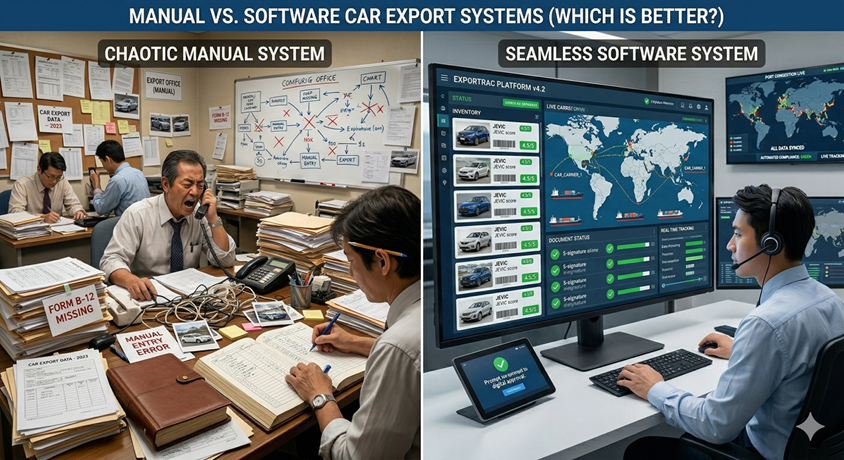
This is a "how to switch" guide, not a "should we switch" guide. If you are still weighing the decision, our comparison of manual vs software car export systems covers that argument. Everything below assumes the decision is made, or close to made, and that the question on the table is how to move a live business onto a new system while it keeps buying at auction every week.
The plan is written for a typical Japan-based exporter: somewhere between a handful and a few dozen staff, buying through the major auction groups and dealer channels, holding stock at one or more yards, selling to overseas buyers who pay by telegraphic transfer, and shipping by RoRo or container. It works whichever system you choose. Where CarDeal365 fits naturally, we say so, but the steps themselves are about your data and your people, and those are the same whichever car export software you end up running.
Three decisions need to be made before any data moves:
- One migration owner. Not a committee and not "IT". One person — usually the operations manager or the owner — who has authority to decide field formats, settle arguments between teams and set the cutover date. Most stalled migrations had no single owner.
- A target go-live date. Pick it now, roughly 30 days out, and avoid Golden Week, Obon, the year-end holiday period and your financial year-end. Those are the weeks when nobody has time to learn anything.
- A definition of "done". For example: "Every unsold, unshipped or unpaid unit lives in the system; the old spreadsheets are read-only; every team records its own status changes." Write it down. You will measure against it later.
Step 1: Audit the spreadsheets you really run on
The first job in any spreadsheet to car export management system project is an honest inventory of where your data actually lives. Not where it is supposed to live — where it actually lives. In most export offices the "master" stock list is one of several, and the real status of a unit is spread across a purchase log, a payment tracker, a shipping sheet, somebody's personal file and a WhatsApp chat.
Ask every person who touches a vehicle — sales, auction buyers, yard staff, the documents team and whoever handles bank receipts — to send you every file they open in a normal week. Then build a simple register. The sheets you find will almost always fall into these six types:
| Sheet type | Usually keyed by | Typical owner | What usually goes wrong |
|---|---|---|---|
| Stock list | Chassis number (sometimes stock no.) | Sales / manager | Several versions in circulation; sold units never removed; colour-coded rows that mean different things to different people |
| Auction purchase log | Auction date + lot number | Auction / purchasing team | Hammer price, auction fee, recycle fee and inland transport mixed in one cell or spread across tabs per month |
| Buyer list | Buyer name (free text) | Sales | The same company entered three ways; contacts stored only in phones; country and port missing |
| Payment / TT tracker | Invoice no. or buyer name | Accounts | Deposits and balances on separate rows; USD and JPY in one column; bank charges silently netted off |
| Shipping schedule | Vessel / voyage or booking no. | Shipping / documents | One row per vessel with several chassis numbers typed into one cell; ETD/ETA overwritten without history |
| Document checklist | Chassis number | Documents team | Ticks and dates with no indication of who did what; BL release and courier tracking living in email |
For each file, record five things: who edits it, how often, which column identifies a vehicle or a buyer, how many rows are still "live", and which other sheet it depends on. That last point matters. If the shipping sheet pulls the buyer name from the stock list with a lookup formula, or the payment tracker relies on someone copying invoice totals across by hand, those dependencies are exactly the joins the new system has to make automatically.
Find the shadow data
The audit is not finished until you have found the information that never made it into a spreadsheet at all: the price agreed in a WhatsApp voice note, the yard location only the yard manager knows, the buyer who "always pays the balance after the BL copy", the notebook where the auction buyer writes bid limits. You will not migrate all of that, but you need to know it exists, because the new workflow has to give it somewhere to go. If it does not, it will stay in the chat thread and your new system will be incomplete from day one.
Step 2: Clean the data before it moves
Car export data migration has one iron rule: dirty data imported is dirty data forever. Once a duplicate unit or a misspelled buyer is inside a structured system, it gets linked to invoices, shipments and documents, and untangling it becomes far harder than fixing a spreadsheet row. Do the cleaning in Excel, on a copy, before anything is loaded. These are the problems you will almost certainly find.
Duplicate and malformed chassis numbers
The chassis number is your primary key. Most Japanese domestic-market vehicles carry a frame number made of a model code and a serial rather than a 17-character VIN, and it is that number which appears on the auction sheet, the export certificate and the Bill of Lading. In spreadsheets it gets typed with and without hyphens, with stray spaces, with a lowercase letter, or with the letter O where a zero belongs. Standardize the format (uppercase, no spaces, one consistent hyphen), then sort and flag every duplicate. Each duplicate is one of three things: a genuine re-purchase of the same car, a unit entered twice, or a typo hiding a different car. Resolve every one by hand. For a deeper look at identifiers, see our guide to barcode vs VIN tracking.
Inconsistent make and model names
"Toyota Prius", "TOYOTA PRIUS", "Prius", "Prius S" and "プリウス" are one model to a person and five to a system. Inconsistent naming breaks every report you will want later — stock by model, margin by model, ageing by model. Build a short reference list of makes and models you actually trade, split grade into its own column, and replace free-typed values against that list. Keep the original text in a notes column if anyone is nervous about losing detail.
Free-text status columns
The status column is usually the messiest in the workbook: "OK", "shipped?", "waiting BL", "docs sent 3/10", "Ali paid half", or a cell coloured yellow that means "reserved" to sales and "problem" to the yard. A system needs a controlled list of stages. Agree yours before cleaning — for example Purchased → Auction paid → In transit to yard → At yard → Export certificate issued → Booked → Shipped → Documents sent → Completed — then translate every free-text value into one stage, and move the extra detail ("Ali paid half") into the payment record where it belongs. If a row's colour carries meaning, convert it into a value now; colour does not survive import.
Mixed JPY and USD
Auction purchases, recycle fees and inland transport are paid in yen; most buyers pay in US dollars by TT. Spreadsheets regularly end up with both currencies in one column, distinguishable only by the size of the number. Split every money column into an amount and a currency code, and for converted figures record the rate and the date used. Never import a figure whose currency you have to guess. Our guide to payment methods and currency risk explains why the rate date matters for margin reporting.
Merged cells, subtotals and formatting used as data
Import tools of any kind expect one record per row and one value per cell. Unmerge everything (an auction date merged across ten rows has to be repeated on each row), delete subtotal and blank spacer rows, unhide hidden rows and columns and decide whether they are live, move cell comments into a proper notes column, and split cells that hold several values — "Prius 2015 Pearl 68,000km" becomes four fields. Convert dates to one format; a sheet where some dates are real dates and others are text like "3/10" will import some of them as the wrong month.
Duplicate buyers and incomplete contacts
Merge buyers that are the same company under different spellings, and fill in at least country, destination port and a primary contact for every active buyer. Decide which spelling is canonical and record the others as aliases so sales staff can still find them. Buyer records include personal information, so clean and move them with the same care you would apply to any customer data under Japan's Act on the Protection of Personal Information — the Personal Information Protection Commission publishes English guidance. Practically, that means not emailing the full buyer list around as an attachment during the project.
Step 3: Decide what to migrate and what to archive
The single biggest scope decision is how much history to bring across. The instinct is "everything", and it is almost always wrong. Years of closed deals were recorded under changing conventions, by people who have left, with statuses nobody can reconstruct. Cleaning all of it to import standard can take longer than the rest of the migration combined, and very little of it will be looked at again.
The practical rule: migrate anything that still needs an action; archive anything that is finished.
| Data | Migrate into the system | Archive read-only |
|---|---|---|
| Vehicles | Unsold stock, reserved units, units at yard or in inland transit, shipped units whose documents or payment are incomplete | Units shipped, delivered and fully paid in previous periods |
| Buyers | Anyone who has bought, been quoted or had an open conversation in roughly the last 12–18 months | Dormant contacts with no recent activity (keep the file; you can add them later) |
| Payments & invoices | Open and part-paid invoices, unallocated deposits, buyer credit balances | Closed invoices from prior periods |
| Shipments | Booked but not yet sailed, sailed but BL not released, arrived with documents pending | Completed voyages |
| Documents | Scans attached to live units (auction sheet, export certificate, invoice, BL copy) | Document folders for closed units, kept in their existing storage |
| Reference data | Auction companies you buy from, yards, transport companies, users | Suppliers you no longer use |
Archiving is not deleting. Save the final version of every legacy workbook as a dated, read-only file, store it somewhere backed up, and note where it lives in the system's documentation so nobody has to ask. Corporate books and records in Japan are generally subject to multi-year retention requirements, and electronically received transaction records have their own storage rules, so agree the archive approach with your tax accountant — the National Tax Agency is the primary source.
Counting what you will migrate has a second benefit: it tells you which plan size you actually need. Most software is priced partly on active vehicles, users and customers. CarDeal365's pricing plans, for example, set different limits for active cars, user accounts and customers on the Starter and Standard tiers, with no caps on Full Power. A clean count of open units and active buyers lets you choose based on facts rather than on the size of your messiest spreadsheet.
Step 4: Map spreadsheet columns to system fields
A field map is a simple table that says, for every column you are keeping, where it goes in the new system and what rule converts it. It is the most useful document in the whole project: it forces decisions that would otherwise be made inconsistently by whoever happens to be entering data, and it becomes the reference when someone asks "where did the yard column go?". Field names differ between systems, so treat the middle column below as the kind of field to look for rather than a literal label.
| Spreadsheet column (typical) | System record → field | Cleaning / conversion rule |
|---|---|---|
| Chassis No. / Frame No. | Vehicle → chassis number (unique key) | Uppercase, no spaces, consistent hyphen; duplicates resolved before import |
| Car / Model (e.g. "Prius S 2015") | Vehicle → make, model, grade, year | Split into separate fields; match make/model to an agreed reference list |
| Colour, Km, Grade score | Vehicle → colour, mileage, auction grade | Mileage as a number only; colour from a fixed list |
| Auction / Date / Lot | Auction purchase → auction company, date, lot number | Auction names matched to the configured auction company list |
| Price / Fee / Recycle / Transport | Auction purchase → hammer price and cost lines | One cost type per field, all in JPY; no combined totals typed by hand |
| Yard / Location | Vehicle → stockyard | Yard names matched to the configured stockyard list |
| Status (free text or colour) | Vehicle → status stage | Translated to the agreed stage list; extra detail moved to notes or payments |
| Customer / Buyer | Customer → company, country, port, contact | Linked to one canonical customer record; aliases kept as notes |
| Selling price / Invoice No. | Order / invoice → amount, currency, invoice number | Amount and currency in separate fields; one invoice number format |
| Deposit / Balance / TT date | Invoice → payments received | One row per receipt with date, amount, currency, rate; bank charges recorded separately |
| Vessel / ETD / ETA / Booking | Shipment → vessel, voyage, dates, booking reference | One shipment record linked to each chassis, never a list typed into one cell |
| Doc ticks (EC, Inv, BL, courier) | Vehicle / shipment → document status and attachments | Tick becomes a status plus the attached scan where one exists |
| Remarks | Notes | Keep, but move anything that is really a status, price or date into its proper field |
Notice that several spreadsheets collapse into linked records. A good system holds the vehicle, the customer, the order or invoice and the shipment as separate records that reference each other — the data model described in our car export software guide. That is why the field map is organized by record, not by sheet: the shipping schedule's "buyer" column does not become a field on the shipment, it becomes a link to the customer record that already exists.
Ask your vendor early how the initial load will work for your volume — whether that is a bulk import, assisted setup, or keying active units in by hand — and which columns it expects. CarDeal365's own pricing page tells buyers to ask exactly this ("how current stock, users, and workflow rules will be brought into the new system"), and you should ask it of any vendor before you sign.
Step 5: Set up roles and permissions before anyone logs in
In a shared spreadsheet everyone can see — and overwrite — everything, including purchase cost and margin. Switching car export software is the moment to fix that, and it has to be done before go-live, not after somebody notices the yard team can see every buyer's selling price. Configure roles first, then create users into those roles.
| Role | Needs to create / update | Usually should not see or change |
|---|---|---|
| Owner / manager | Everything, plus reports, user setup and final approvals | — |
| Sales | Customers, quotations, orders, invoices, reservations | Auction cost lines and margin, if you keep those restricted |
| Auction / purchasing | Auction purchases, cost lines, new stock entries | Buyer payment records |
| Yard | Arrival, location, photos, transport orders | Prices, costs and customer details |
| Documents / shipping | Export documents, bookings, shipment status, attachments | Purchase cost and margin |
| Accounts | Payments received, invoice status, payables | Usually read-only on vehicle and shipment details |
Two rules make this work. First, one login per person — shared logins destroy the audit trail that tells you who changed a status, which is half the reason for moving off spreadsheets. Second, start slightly tighter than you think you need and loosen on request; it is easier to grant access than to explain why it was taken away. CarDeal365 includes users, roles and permission policies as a core module (see the features page), and the number of user accounts differs by plan, so include every role-holder in your count when you pick a tier. For how to structure the team itself, our car export team management guide goes deeper.
Step 6: The 30-day phased cutover plan
A car export software implementation should never be a "big bang" over a weekend. The business does not stop: auctions run every week, vessels sail on their own schedule, and buyers expect answers the same day. The plan below spreads the risk across four weeks and puts the cutover at the point in the auction week where the fewest records are changing.
| Week | Focus | Key outputs |
|---|---|---|
| Week 1 | Configure and audit | Spreadsheet register; agreed status stages; reference lists (auction companies, stockyards, makes/models); roles and users created; field map drafted |
| Week 2 | Clean and pilot load | Cleaned copies of each sheet; a pilot batch of 10–20 live units with their buyers, invoices and shipments loaded and checked line by line; field map corrected |
| Week 3 | Full load and parallel run | All open units and active buyers loaded; every new purchase, payment and status change entered in the system first; daily reconciliation against the old sheets |
| Week 4 | Cutover and freeze | Cutover day; legacy sheets renamed, made read-only and archived; first weekly management review run from the system |
Week 1: configure before you load
Set up the skeleton the data will hang on: the auction companies you buy from, your stockyards, how inland moves from auction to yard are ordered, your status stages, users and roles. In CarDeal365 these correspond to the auction company setup behind purchase tracking, stockyard master data, transportation orders, and users and roles. Resist the urge to configure every edge case now. The goal is the minimum workflow that handles 90% of units; refinements come after go-live, when you know what people actually need.
Week 2: pilot a small batch
Load 10 to 20 live units — deliberately choose awkward ones: a part-paid unit, one shipped with documents outstanding, a reserved car at a second yard, a buyer with two spellings. Then check each against the spreadsheet with the person who owns that data. The pilot exists to break your field map cheaply. Fix the map, fix the cleaning rules, and only then load the rest.
Week 3: full load and parallel run
Load every open record, then run the old and new side by side — but with one non-negotiable rule: from the first day of the parallel run, the system is the source of truth for every new record. New auction purchases, new payments, yard arrivals and status changes go into the system first. The spreadsheet is only updated afterwards, as a check, and only by the migration owner or one designated person. Spend 15 minutes at the end of each day comparing the two for the units that moved that day. Differences point to either a training gap or a field-map error; fix them the same day.
Keep the parallel run short. One to two full auction weeks is enough to see every routine event at least once: purchases, auction payment, inland transport, yard arrival, export certificate, booking, payment receipt and document dispatch. Set the end date before the parallel run begins and do not move it unless something is genuinely broken.
Week 4: pick a cutover date that respects the auction cycle
The worst time to cut over is the evening before your heaviest auction day, when bids are being placed and purchase confirmations are about to arrive. The best time is just after a buying cycle has settled: purchases from the main auction days are logged, auction payments are made, and the new week's bidding has not yet started. If you buy mostly early in the week, that usually means cutting over at the end of the week; if your buying is spread out, pick the quietest day in your own auction buying cycle. Also check the vessel schedule and avoid a cutover the day before a major cut-off for documents.
On cutover day, rename each legacy workbook with an "ARCHIVE — read only" prefix and the date, remove edit rights, and move it to the archive location. Announce it to the whole team in writing. From that moment, a status that is not in the system did not happen.
Step 7: Train each team on its own workflow
Car export software onboarding fails when training is a single all-hands demo of every screen. Nobody remembers it, and most of it is irrelevant to most people. Train each team on the five or six actions it performs every day, in the order it performs them, using real units from your own data. Keep sessions under an hour, run them during the parallel run so people practise on live work, and give each team a one-page cheat sheet in the language they are most comfortable reading.
Auction / purchasing team
Entering a won lot, its auction company, date and lot number, cost lines, and attaching the auction sheet. This is the entry point for every vehicle, so accuracy here flows downstream to everyone else. CarDeal365's AI Auction Sheet Reader is relevant at this step: it extracts chassis number, make, model, year, grade, mileage, colour and condition notes from an uploaded auction sheet image and pre-fills the stock entry form, which reduces the retyping that causes chassis-number typos in the first place. Our auction purchase management guide covers the wider workflow.
Yard team
Confirming arrival, recording location, uploading photos and handling transport orders. Yard staff are often the least desk-bound and the most sceptical; show them how a correct arrival record means fewer phone calls asking "is chassis so-and-so here yet?". If they do not update the system, every location in it is wrong within a week.
Sales team
Finding available stock, reserving a unit, creating a quotation, order and invoice, and checking payment status before promising a shipping date. This is also where you set the WhatsApp rule: conversations can stay in WhatsApp, but outcomes must be recorded in the system. An agreed price becomes a quotation or order; a payment screenshot becomes a payment recorded against an invoice. Our guide to buyer management explains why this matters as you grow.
Documents and shipping team
Updating export certificate status, linking units to bookings and vessels, attaching scans, and recording when documents are dispatched or released. The habit to build is updating status at the moment something happens, not batching updates at the end of the week.
Accounts and management
Recording receipts against invoices, and running the weekly review from the system's reports rather than from an exported spreadsheet. Managers set the tone: if the owner keeps asking for "the Excel", the team will keep maintaining one. CarDeal365's AI Report lets a manager type questions such as "pending invoices" or "shipments in transit" and get a clickable table back, which removes the main excuse for asking staff to build a report by hand.
Appoint a champion in each team. One person per team who learns the system a little ahead of everyone else and answers the first round of "how do I…" questions. They also tell the migration owner where the workflow does not fit reality — which is information you want in week 3, not month 3.
Common failure modes and how to avoid them
Most failed migrations do not fail because the software was wrong. They fail in a small number of predictable ways, all of which are visible early if you know what to look for.
| Failure mode | Early warning sign | How to avoid it |
|---|---|---|
| Importing all history | Go-live date slips while someone cleans 2019 data | Migrate open records only; archive the rest read-only |
| "We'll clean it later" | Duplicate units and buyers appear in the first week | Clean in Excel before load; pilot batch first |
| Endless parallel run | Staff ask "which one is correct?" | Fixed end date; system is source of truth from day one |
| Private spreadsheets survive | Someone answers a status question without opening the system | Freeze legacy files on cutover day; managers stop accepting Excel reports |
| No single owner | Format decisions get re-argued in every meeting | One migration owner with authority to decide |
| Over-customizing before go-live | Configuration keeps growing; nothing is live | Launch the minimum workflow; refine after 30 days of real use |
| Yard team left out | Locations and arrival dates are stale | Train the yard first-hand; make their updates the trigger for the next step |
| One-off training | Same questions in week 6 as in week 1 | Role-based sessions, cheat sheets, team champions, a short refresher at day 30 |
A useful companion here is our car automation software checklist, which helps you confirm the system covers the workflow before you commit the team to it — far cheaper than discovering a gap mid-migration.
Go-live checklist
Run through this list the day before cutover. If any item is not true, either fix it or move the date — do not go live hoping it will sort itself out.
- Every open unit is in the system with a unique, correctly formatted chassis number.
- Unit count in the system matches a physical yard count plus units in transit and at port.
- Open invoice balances in the system match the payment tracker, buyer by buyer.
- Every active shipment is linked to its units, with vessel, dates and document status filled in.
- Every user has their own login and the correct role; no shared accounts.
- Each team has completed its role-based session and has a cheat sheet.
- Status stages, auction companies and stockyards are configured and agreed, and everyone knows how inland transport is ordered.
- The WhatsApp rule (conversations in chat, outcomes in the system) has been communicated in writing.
- Legacy workbooks have an archive location, a naming convention and a person responsible for locking them.
- The cutover date sits after a settled auction cycle and away from a document cut-off.
- The first weekly management review is scheduled and will be run from the system's reports.
- Everyone knows who to ask, and where to log a problem, during the first two weeks.
Measuring success after 60–90 days
"It feels better" is not a result. Before go-live, write down how you will judge the migration at day 60 and day 90, and capture a baseline for each measure from the spreadsheet era where you can. Our pillar guide sets the bar plainly: within 90 days you should see clearer stock visibility, faster status reporting, more consistent document tracking and fewer buyer-update gaps. If you do not, the cause is usually implementation discipline, not missing features.
| Measure | How to check it | What healthy looks like |
|---|---|---|
| Legacy spreadsheets still edited | Ask each team; check file modified dates | Zero operational sheets being updated |
| Record completeness | Sample 20 open units: yard, status, buyer, documents filled? | Nearly every sampled unit complete, gaps traceable to one person or step |
| Stock count accuracy | Physical yard count vs system | Differences small and explainable same day |
| "Where is chassis X?" time | Time how long staff take to answer from the system | Seconds, without a phone call to the yard |
| Payment status accuracy | Open balances vs bank receipts | Matches without a separate tracker |
| Weekly report effort | Time to prepare the management review | Run directly from the system, not rebuilt in Excel |
| Status lag | Compare event date vs date recorded for a sample | Same day for most events |
| Stock age visibility | Can you list units older than your target days in stock? | Yes, on demand, and the list drives action |
At day 30, run a short retrospective with the team champions: which steps are people skipping, which fields are always blank, which reports nobody uses. Fix the workflow, not the people — a field that is always blank is usually a field nobody needs, or a step that happens somewhere the system does not reach yet. At day 90, compare against your written definition of "done" and your baseline. That is also the point to start on the refinements you deferred, and to look at what our guide to car export workflow automation describes as the next layer once the data is reliable.
Where CarDeal365 fits in the migration
The plan above is deliberately system-neutral, but it maps closely to how CarDeal365 is built. The platform is structured around exporter workflows rather than general dealership use, and its modules line up with the record types in the field map:
- Inventory — car stock records with photos, document attachments and searchable records, replacing the stock list. See the car inventory management system page.
- Auction purchase tracking — purchase workflows backed by auction company setup, replacing the purchase log.
- Stockyard setup and transportation orders — yard master data and printable transport orders for inland logistics.
- Users, roles and permissions — the role design from Step 5.
- Reporting and AI Report — inventory reports plus plain-English queries across cars, invoices, shipments, orders and quotations for the 60–90 day review.
- AI Auction Sheet Reader — pre-fills new stock entries from an auction sheet image, so the clean data you migrated stays clean as new units arrive.
Plans run from Starter for small operations through Standard and Full Power, with Excel export available on Standard and above — useful during the parallel run and for anyone who still needs a file for the accountant. AI features and API access are not on every tier, so check which plan includes what you need. Check current limits and inclusions on the pricing page, and see the full module list on the features page. If you are still comparing systems, our roundup of the best car export software in 2026 and the used car export software overview are good next reads.
FAQs
Related reading
Manual vs Software Car Export System
The case for switching, before you plan how to switch.
Ultimate Guide to Car Export Software
Features, data model and the first-90-days roadmap.
Car Automation Software Checklist
Confirm the system covers your workflow before you commit.
Car Export Team Management Guide
Roles, accountability and structure as the team grows.
Car Export Technology Stack Guide
How the core system fits with the rest of your digital tools.
Barcode vs VIN Tracking
Choosing identifiers that survive the move to a system.
Conclusion
Moving a live export business off spreadsheets is an operations project, not a software installation. The exporters who do it well make a handful of disciplined choices: one owner, an honest audit, cleaning before loading, migrating only what is still open, a short parallel run with a fixed end date, a cutover timed to the auction week, training by role, and a written definition of success they check at 60 and 90 days. None of that depends on which system you pick — but the right system makes every step easier to hold.
If you want to see how your current sheets would map onto an exporter-specific platform, bring a copy of your stock list and payment tracker to a demo and we will walk through it with you on the contact page. For the broader platform view, see how CarDeal365 works as a car export ERP.
Ready to retire the spreadsheets? See how CarDeal365 handles stock, auction purchases, yards, roles and reporting in one system.
Book a Demo
About the Author
Muhammad Khabir Uddin
Founder, CarDeal365 · 6+ years in automotive export & SaaS
View LinkedIn Profile